

Solution
Getting started with ESET Anti-Theft: Step 3 of 4 ← Optimization | Troubleshooting →
- Log in to your myESET online account.
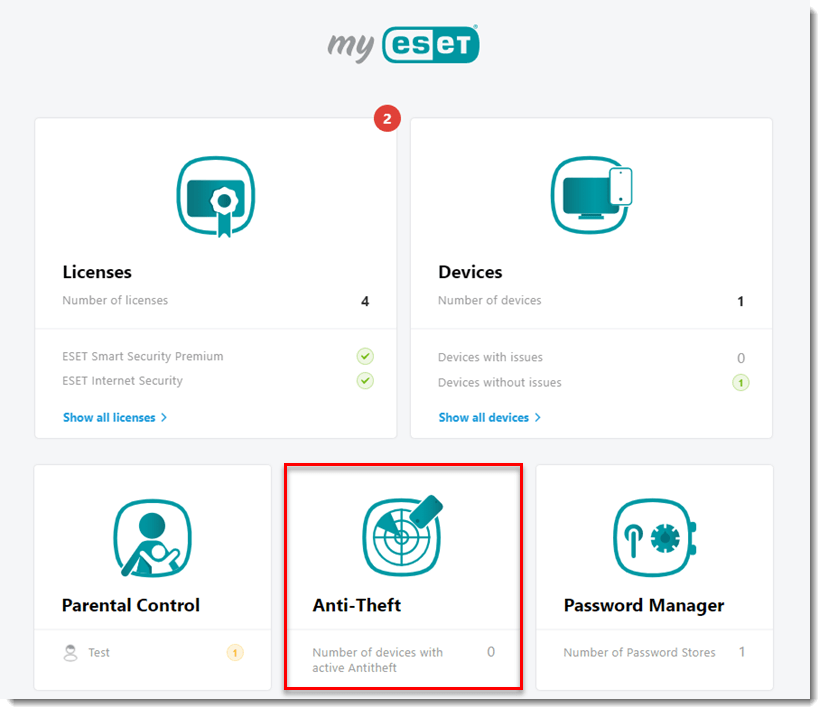
- Click Anti-Theft.
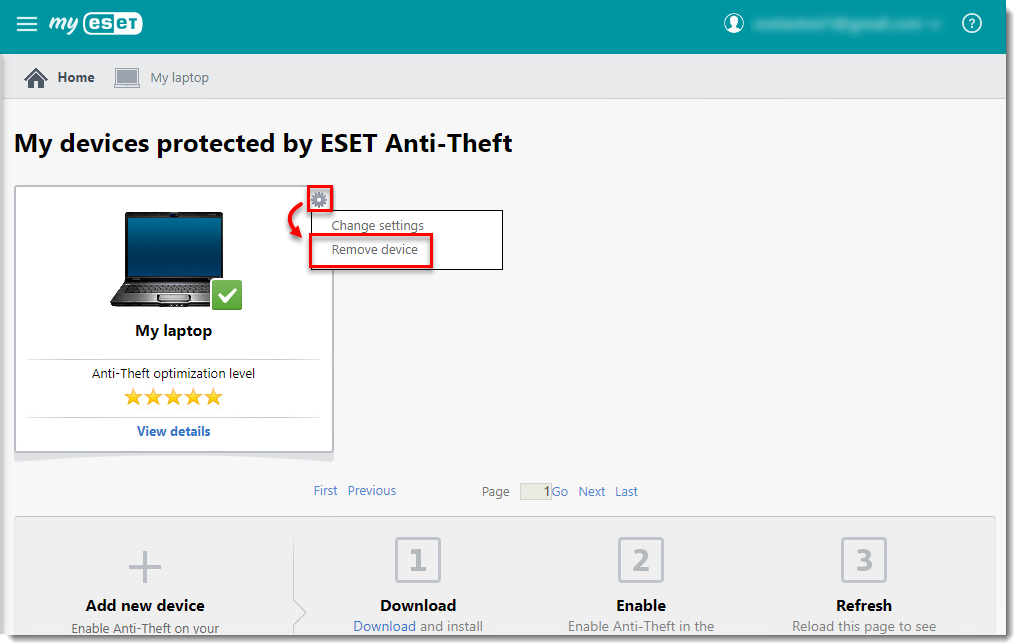
- Click the gear
 icon and select Remove device in the window of the device you want to remove.
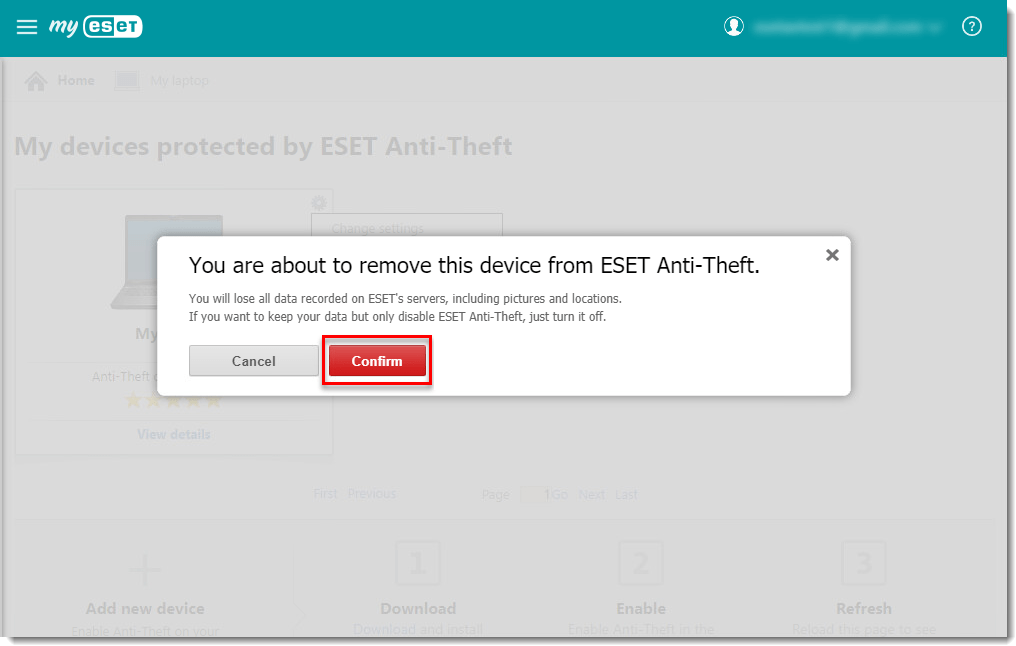
- Click Confirm. Your device and all data related to it will be deleted from myESET.
Last Updated: Jul 9, 2021
(Visited 52 times, 1 visits today)