

|
|
Important Upgrading Password Manager application (Android and iOS) to a more recent version does not migrate your passwords and data from the previous version. We recommend you to upgrade Password Manager using one of our browser extensions. |

|
|
Important When exporting your data from Password Manager version 2, select ESET Password Manager XML. In Password Manager version 3, the .spdb format is no longer supported. |
|
|
Important Password Manager version 3 cannot be installed as a standalone Windows application. |
Password Manager version 2 is not supported. A new version is available. Follow the steps below to upgrade Password Manager to the latest version (version for mobile devices or extension):
1.Before you start, you can make a backup of your data. To export your data from Password Manager version 2, read the following ESET Knowledgebase article.
2.Download extension and install a new Password Manager extension for your particular web browser.
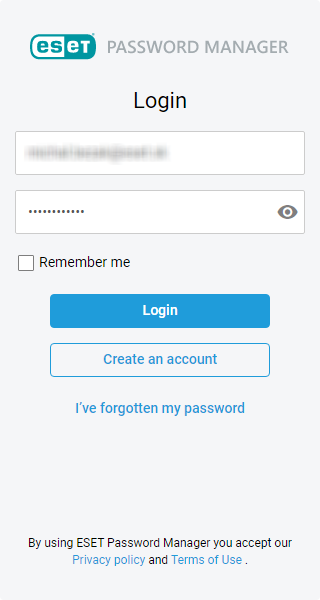
3.Log in with your current credentials.
4.For security reasons, you will be demanded to change Master Password into a new one.
5.Copy or download the Recovery Key to a location that you can easily remember. A recovery key is needed to regain access to the account. It consists of a 24-digit key for your desktop and mobile devices.
6.Passwords and data are migrated from the previous version to the new Password Manager. See the data categories below.
|
The previous version of Password Manager |
The new version of Password Manager |
|---|---|
|
Account (web) |
Account |
|
Account (app) |
Note |
|
Identity |
Identity |
|
Credit card |
Credit card |
|
Bank account |
Note |
•Account – The username and password that is often required for users to log in to websites or applications.
•Identity – Personal contact information, such as a home address, home telephone number, email address, etc.
•Credit card – Payment card issued by a financial company to users (cardholders) to enable the cardholder to pay for goods and services.
•Note – A note can provide any other valuable information.
I have a problem with my license.
|
|
Note Usernames and associated passwords that someone shared to your account will not migrate. |

|
|
Note If you want to import data exported from the previous version of Password Manager, navigate to Menu > Settings > Data > Import data and then select Password Manager V2 from the drop-down menu. |
Source : Official ESET Brand
Editor by : BEST Antivirus KBS Team