

Solution


I. Purchase a license
To upgrade the trial version of your ESET product to the full version, you must first purchase a license. Once you have completed the purchase, you will receive an email from ESET ([email protected]) with a new License Key, Username, and Password. If you have already purchased a license, activate your License Key.
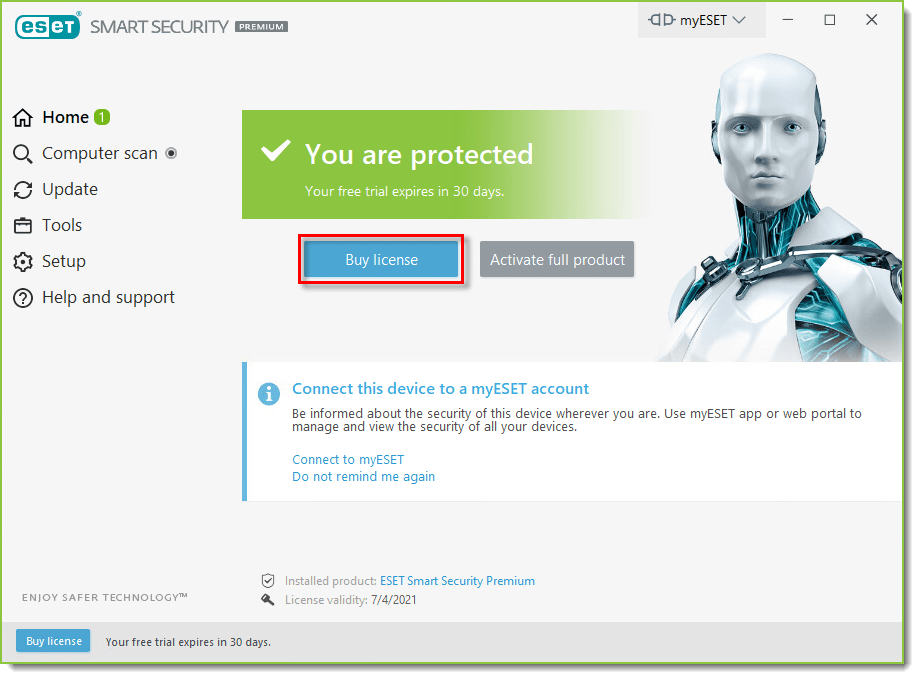
- Open the main program window of your ESET Windows product.
- Click Buy license and follow the instructions from the ESET online store to purchase your product. For personalized assistance in North America, call 866-343-3738, option 1 (Monday – Friday, 6:00 a.m. – 6:00 p.m., PST).
II. Activate product using your License Key
- Open the main program window of your ESET Windows product.
- Click Activate full product.

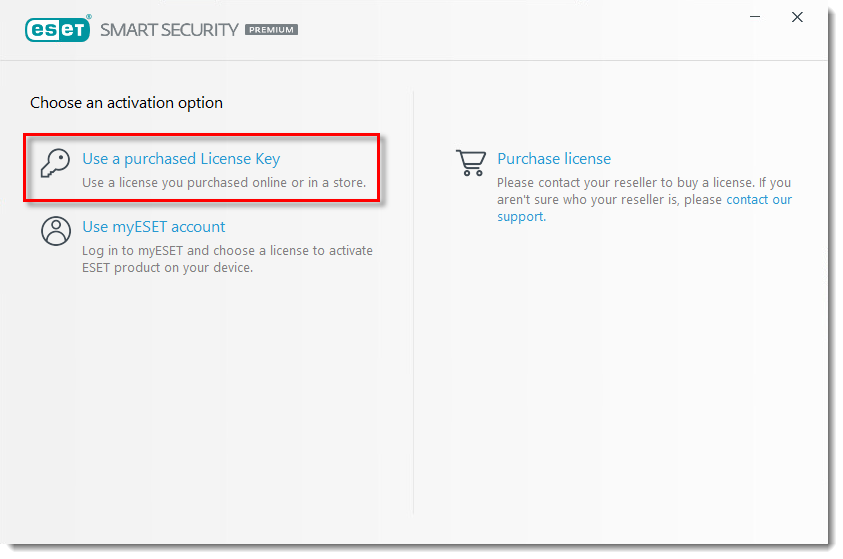
- Click Use a purchased License Key.
- Type or copy/paste the License Key from the email you received from [email protected] following your purchase into the blank field and click Continue.
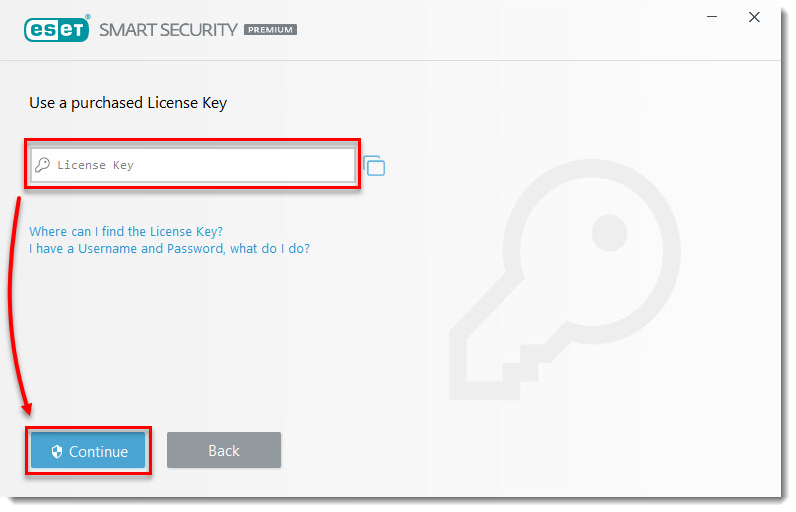
- Click Activate.

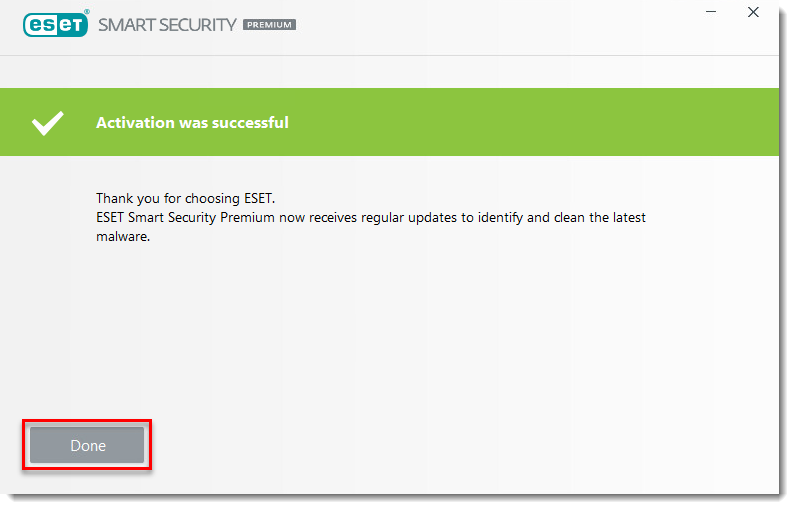
- Click Done. Your product is now activated and fully functional.
Last Updated: Jun 7, 2021
(Visited 25 times, 1 visits today)