

Issue
- Verify that the latest detection engine and modules updates have been received by client workstations
To see the current Version of the Detection engine, visit https://www.virusradar.com/en/update/info/
Details
By default, ESET products check for a new update every hour and are updated at least once a day with new detection engine updates and occasional program component updates. If a client workstation has yet to download the latest detection engine update, you can trigger this update manually by following the steps in this article.
 View instructions for ESET home products
Solution
 ESET PROTECT users: Perform these steps in ESET PROTECT
ESET Security Management Center (ESMC) users: Perform these steps in ESMC
- Open the main program window of your Windows ESET product.
- Click Update. You can verify a successful update by checking the Last successful update date and time, or by comparing the latest Detection Engine version to your own.
To see the current Version of the Detection engine, visit https://www.virusradar.com/en/update/info/

Figure 1-1 - To download the latest Detection Engine update, click Check for updates.

Figure 1-2 - To check the installed versions of other product modules, click Show all modules.
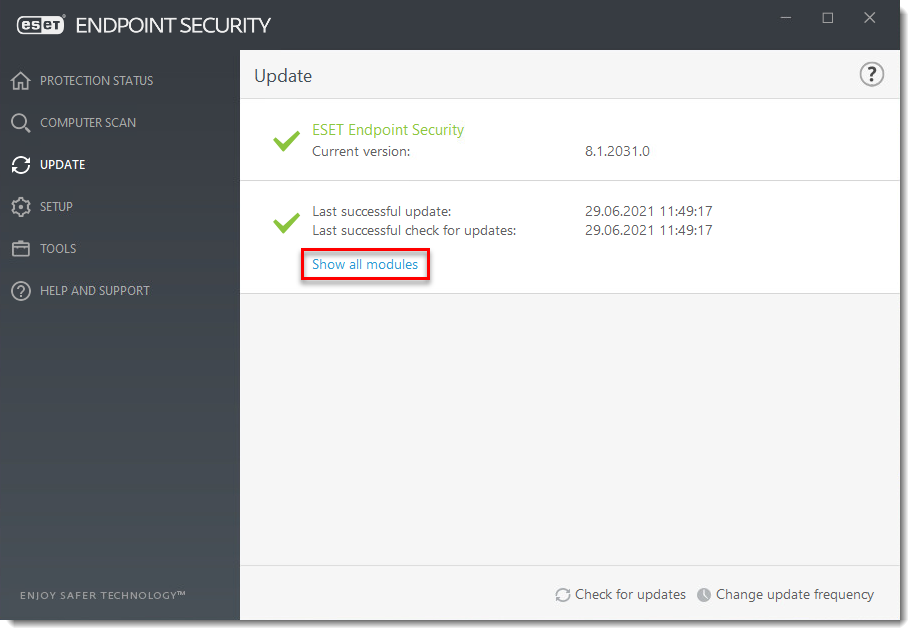
Figure 1-3
Last Updated: Jun 29, 2021
Source : Official ESET Brand
Editor by : BEST Antivirus KBS Team
Editor by : BEST Antivirus KBS Team
(Visited 22 times, 1 visits today)