

Issue
- Scan specific files, devices or drives
- Exclude certain files or directories from a scan
Solution
- Create a scan profile.
- Press the F5 key to open Advanced Setup.
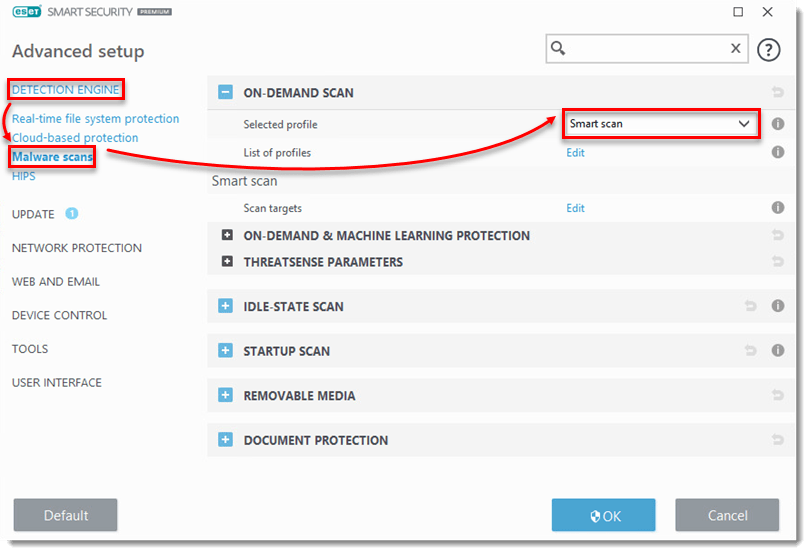
- Click Detection Engine → Malware scan and make sure to select the profile you just created in step 1.
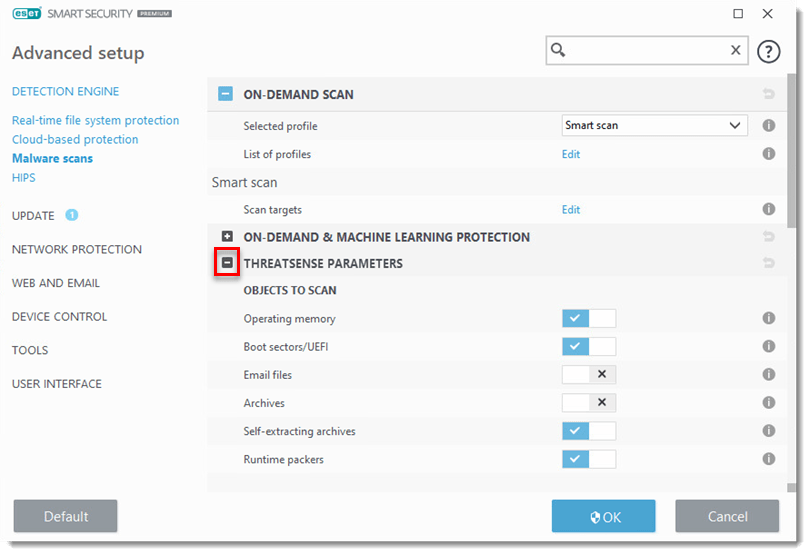
- Expand Threatsense Parameters.
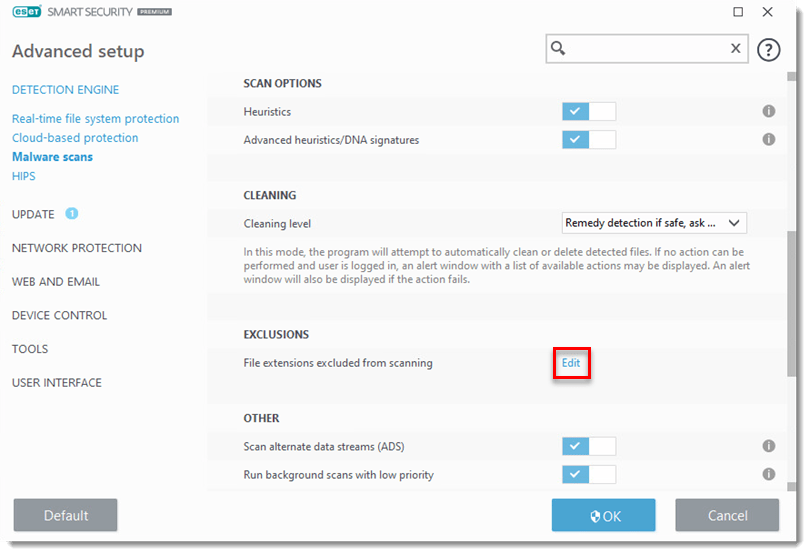
- Scroll down to the Exclusions section and click Edit next to File extensions excluded from scanning.
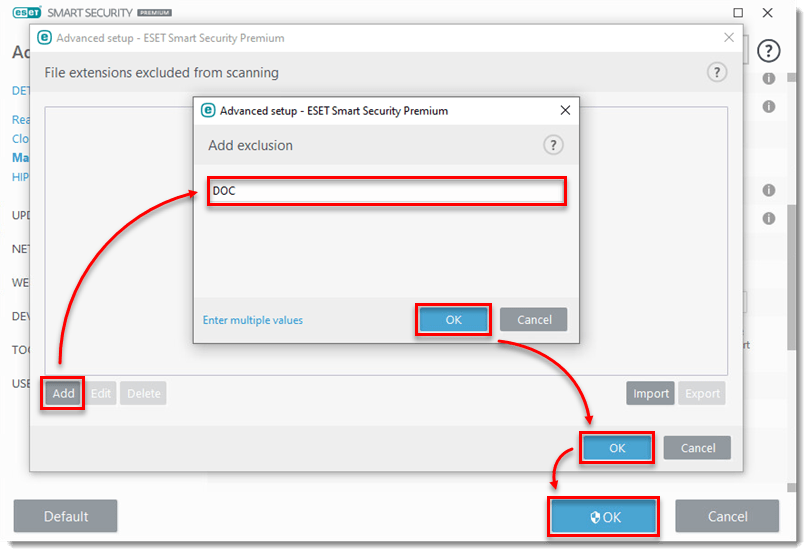
- Click Add. In the Add exclusion window, type the 3-character file extension and click OK → OK → OK.
- Click Computer scan → Advanced scans → Custom scan.

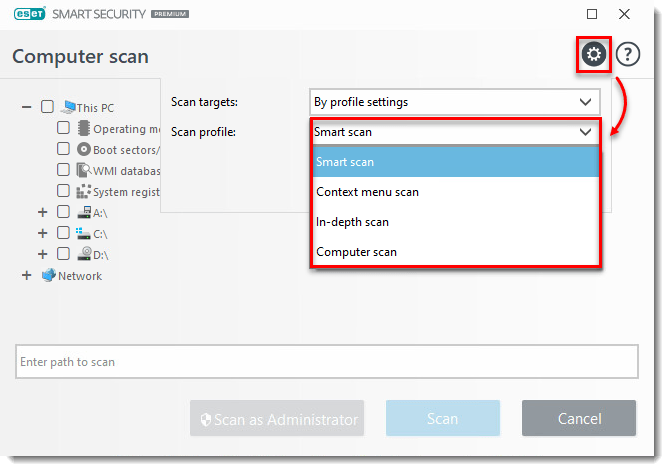
- Click the gear icon
 and select your new scan profile from the Scan profile drop-down menu. Select the scan targets from the Scan targets drop-down menu, or select them manually in the Computer scan window.
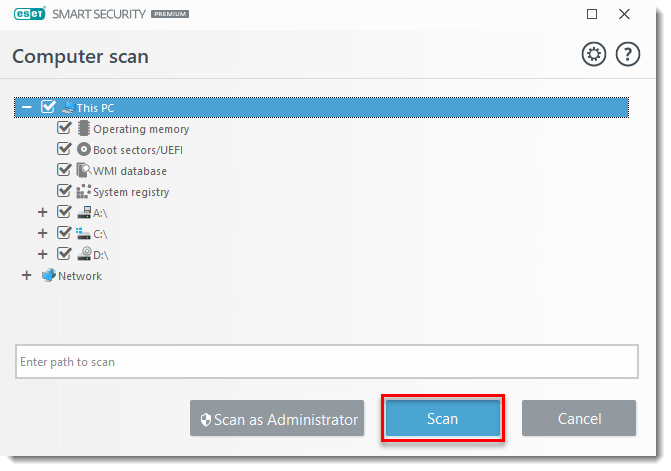
- Click Scan.
Last Updated: Jun 21, 2021
(Visited 29 times, 1 visits today)